Divi WooCommerce Sales Count Extension Live Demo
Show “47 sold in the last 24 hours” on every product page and on every product card in your store, without placing a module. Switch it on once, pick where it goes, and the Sales Count extension in Divi WooCommerce Extended counts your real WooCommerce orders for you.
Trusted by
300,000+ websites worldwide
Featured on

Compatible with
Divi 4 and Divi 5
Like the Divi WooCommerce Sales Count Extension?
It is one of the Sales Boosters in Divi WooCommerce Extended, along with Live Visitor Count and Stock Progress Bar. The full plugin includes Mini Cart, Wishlist, Quick View, Ajax Search, Product Carousel, Product Gallery, Tab Manager, Checkout Manager, and 15 pre-built layouts. From $99 per year for unlimited sites.
How It Looks on Your Product Pages
With Show on Every Product Page turned on, every product gets a line like this one, right where you choose: after the title, after the price, after the short description, or before or after the Add to Cart button.
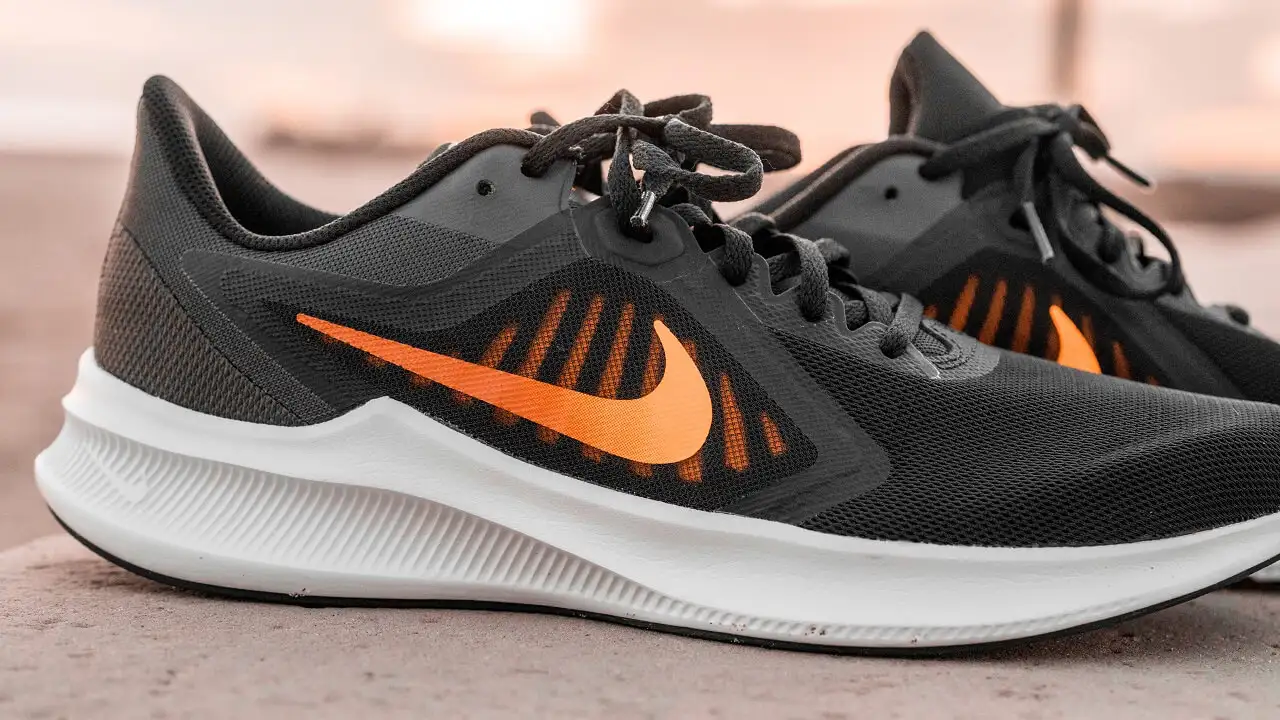
Revolution 7.0 Lace-up Running Shoes
Price range: $39 through $49
UNMATCHED CUSTOMIZATION
Switch It On Once, See It on Every Product
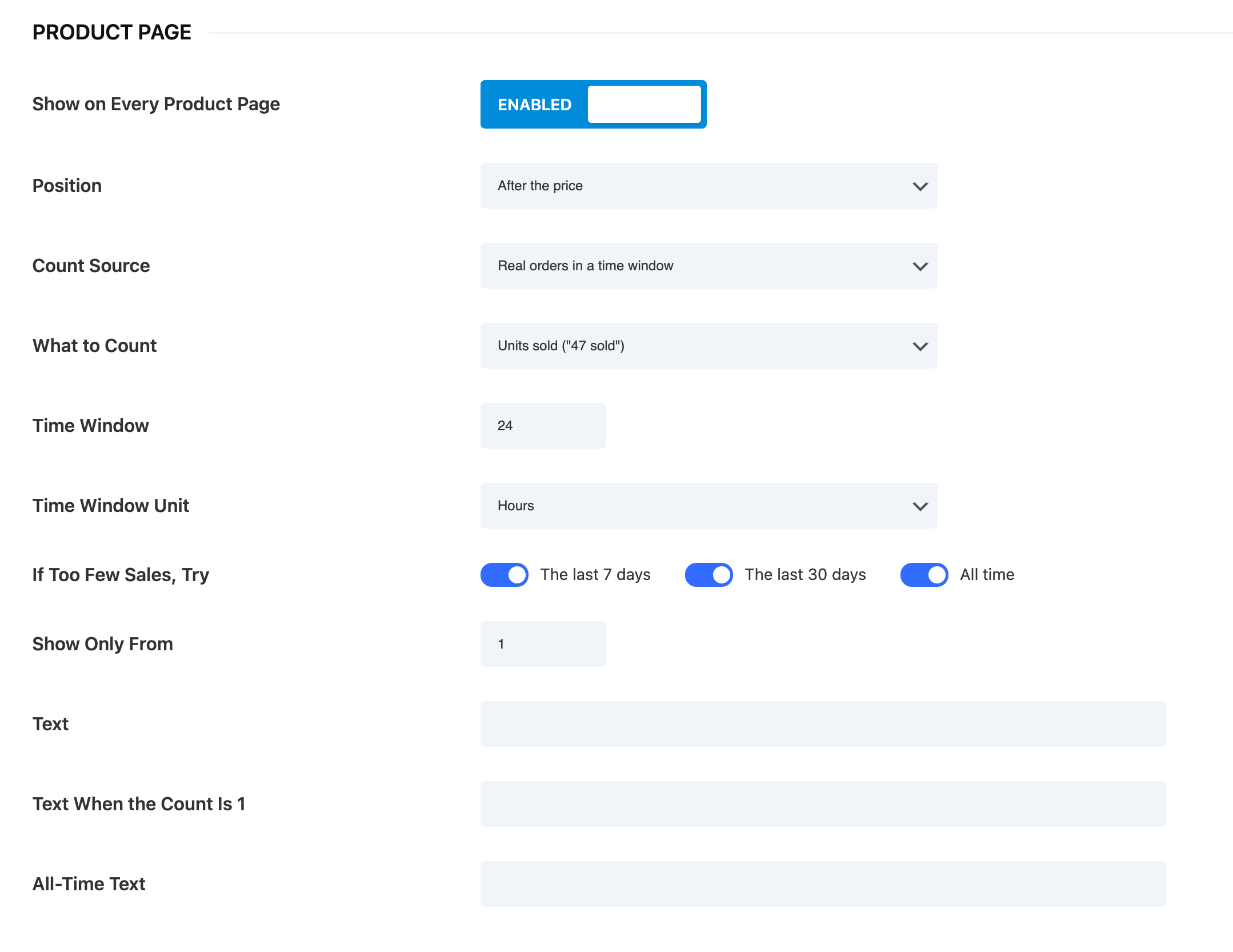
Turn on Show on Every Product Page under Divi WooCommerce Extended › Sales Boosters › Sales Count, and the sales count appears on all your product pages. There is no module to place and no template to edit.
- 7 Positions: before or after the title, after the price, after the short description, before or after the Add to Cart button, or after the product meta
- Theme Builder Ready: with a Divi product template it sits next to the matching Divi Woo module
- Falls Back When Sales Are Slow: tries the last 7 days, the last 30 days or all time
- No Doubles: skipped on pages where the Sales Count module is already placed
Show the Count on Every Product Card
Turn on Show on Product Cards and a short count such as “🔥 120 sold” appears on the shop and category pages, in related products, and in the Woo Products, Woo Products Carousel and Woo Recently Viewed Products modules, like the grid below.
-
Women’s Red Round Neck T-Shirt
Original price was: $99.$49Current price is: $49.🔥 sold in 7 daysviewing -
White Summer Drop Waist Dress
Price range: $59 through $69🔥 sold in 7 daysviewingThis product has multiple variants. The options may be chosen on the product page -
White Crop Printed Hoodie
Price range: $29 through $39🔥 sold in 7 daysviewingThis product has multiple variants. The options may be chosen on the product page -
V-neck Plain T-Shirt
Price range: $29 through $39🔥 sold in 7 daysviewingThis product has multiple variants. The options may be chosen on the product page -
Mustard Sweatshirt For Women
Original price was: $99.$39Current price is: $39.🔥 sold in 7 daysviewing -
Full Sleeve Solid Women Jacket
Original price was: $89.$69Current price is: $69.🔥 sold in 7 daysviewing -
-
Estonished Black Cotton Shirt
Price range: $59 through $69🔥 sold in 7 daysviewingThis product has multiple variants. The options may be chosen on the product page


Separate Settings for Product Cards
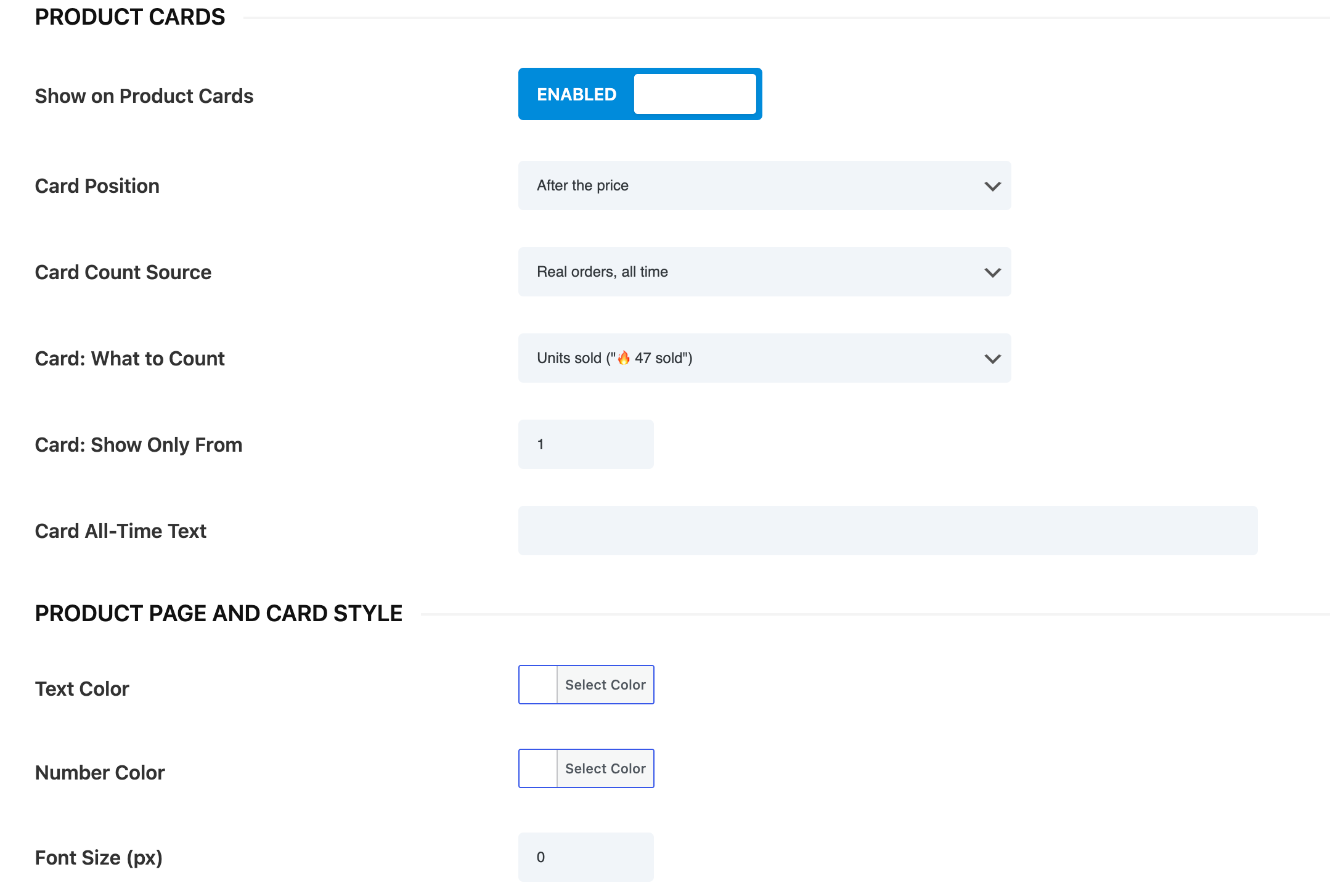
Product cards have their own position, count source and wording, so the shop can show all-time totals while product pages count a recent window.
- Order Status Filter: count Completed, Processing or On Hold orders
- Refunds Left Out: refunded and cancelled orders are never counted
- Units, Orders or Customers: “47 sold”, “32 orders” or “28 people bought this”
- HPOS Compatible: works with WooCommerce High-Performance Order Storage
- Leave It Out Anywhere: each product module has a Show Sales Boosters setting
Ready to add the Sales Count to your store?
The Sales Count ships inside Divi WooCommerce Extended along with Live Visitor Count, Stock Progress Bar, Mini Cart, Wishlist, Quick View, Ajax Search, Product Carousel, Product Gallery, Tab Manager, Checkout Manager, Product Badges, and 15 pre-built layouts. One license. Unlimited sites. From $99 per year.
Try every feature live above. Ready to use them on your own store?.
Get Divi WooCommerce Extended from the official store: $99/year for unlimited sites, lifetime option available.
The #1 Selling Developer at Divi Marketplace.
300,000+ Web Professionals Trust Divi Extended
Official live demo of Divi WooCommerce Extended by Divi Extended. Buy from the official store at diviextended.com.